
Table of Contents
A post can be ready to publish and still miss the moment it was created for.
An offer appears before the sale begins. Two campaign updates compete for the same slot. A client’s announcement goes live on the wrong account. Each post may have passed review, yet a scheduling mistake can leave audiences confused and teams correcting avoidable errors.
As brands add platforms and agencies manage more clients, keeping dates, accounts, approvals, and time zones aligned becomes harder. One changed deadline can affect several posts already in the queue.
A dependable social media scheduling strategy gives every approved post a clear destination and a suitable publication time. It helps your team spot calendar gaps, resolve overlaps, and adjust upcoming content when business priorities change.
This guide shares 9 practical ways to build that system: organize your calendar, establish a sustainable posting rhythm, test timing, and coordinate multiple accounts. You will also learn how to manage approvals and check publication outcomes, keeping your schedule reliable from planning through delivery.
Social Media Scheduling Best Practices for Brands and Agencies
1. Organize Accounts Before Scheduling Posts
Start by listing the accounts you manage, their intended audiences, and the people responsible for publication. Confirm which accounts belong to each brand or client before adding anything to the queue.
Use clear account names and record the relevant time zone. Similar profile images or business names can make account selection difficult, especially when an agency manages several locations for the same client.
Once the account structure is clear, review upcoming campaign dates. Product availability, registration deadlines, and promotion start times should determine which publication slots are available. This gives the schedule a business context before individual posts are assigned.
2. How Often Should Brands Schedule Social Media Posts?
Brands should choose a posting frequency they can maintain with approved content and adequate monitoring. Use audience response and business objectives to refine that frequency. There is no universal number of posts that guarantees better results across every platform or account.
Begin with a manageable weekly rhythm. Keep enough space between updates for each to serve its purpose, and avoid adding slots simply because a scheduler can hold more posts.
Review total weekly results alongside results per post. An additional update may increase relevant website visits even if average engagement falls. Decide which outcome matters before increasing or reducing frequency.
This approach keeps the cadence deliberate and makes the next step easier: seeing how all those publication commitments fit together.
3. Keep One Authoritative Publishing Calendar
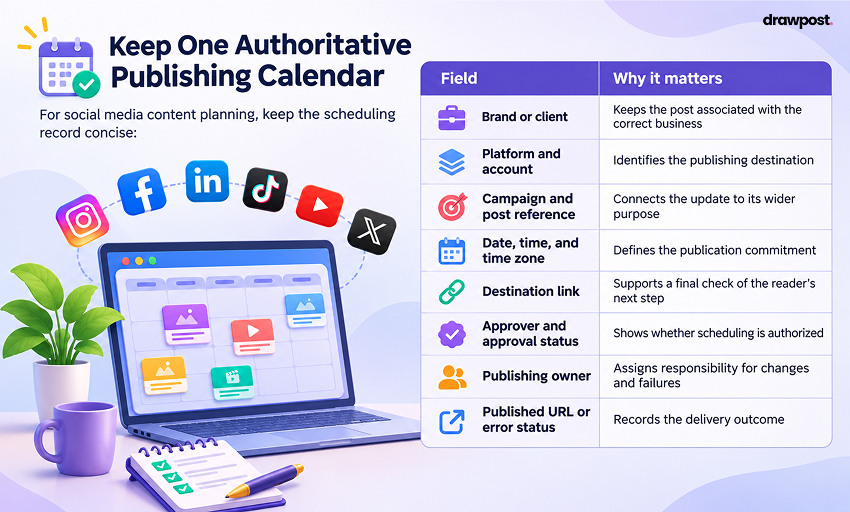
A useful calendar shows what is scheduled, what is awaiting approval, and what has already been published. Everyone involved should know where to check the current version.
For social media content planning, keep the scheduling record concise:
| Field | Why it matters |
| Brand or client | Keeps the post associated with the correct business |
| Platform and account | Identifies the publishing destination |
| Campaign and post reference | Connects the update to its wider purpose |
| Date, time, and time zone | Defines the publication commitment |
| Destination link | Supports a final check of the reader’s next step |
| Approver and approval status | Shows whether scheduling is authorized |
| Publishing owner | Assigns responsibility for changes and failures |
| Published URL or error status | Records the delivery outcome |
Separate tentative dates from confirmed publishing commitments. If your calendar and scheduler are different systems, assign someone to reconcile changes so an updated campaign date does not leave an old post in the queue.
4. Coordinate Cross-Platform Scheduling Around Campaign Dates
With one calendar in place, review the campaign across all accounts. An announcement, reminder, and final deadline update should appear in a sequence that matches when the audience can act.
Cross-platform content scheduling does not require every account to publish at the same minute. Choose each platform’s slot according to audience response, while keeping the campaign’s offer and dates aligned.
Check platform-specific publishing requirements before committing a post. Account types and supported formats can differ, and a feature available inside a native app may not be available through every scheduling service.
Where a post needs a native publishing step, record the exception and its owner in the shared calendar. That keeps the campaign visible without accidentally scheduling the same update twice.
5. What Is the Best Time to Schedule Social Media Posts?
The best time is the window that repeatedly supports your objective with your own audience. Start with account analytics and past performance, then test plausible alternatives. Industry studies can suggest initial windows, but they cannot establish one best time for every brand.
To evaluate optimal social media posting times:
1. Choose two reasonable windows in the audience’s time zone.
2. Rotate comparable posts between them over several weeks.
3. Compare results after the same observation period.
4. Record paid promotion, major announcements, or other unusual influences.
5. Keep the stronger window provisionally and continue checking it.
Low-volume accounts may need a longer test. Avoid declaring a winner based on one unusually successful post or changing the offer, format, and timing together.
6. How Far in Advance Should You Schedule Social Media Content?
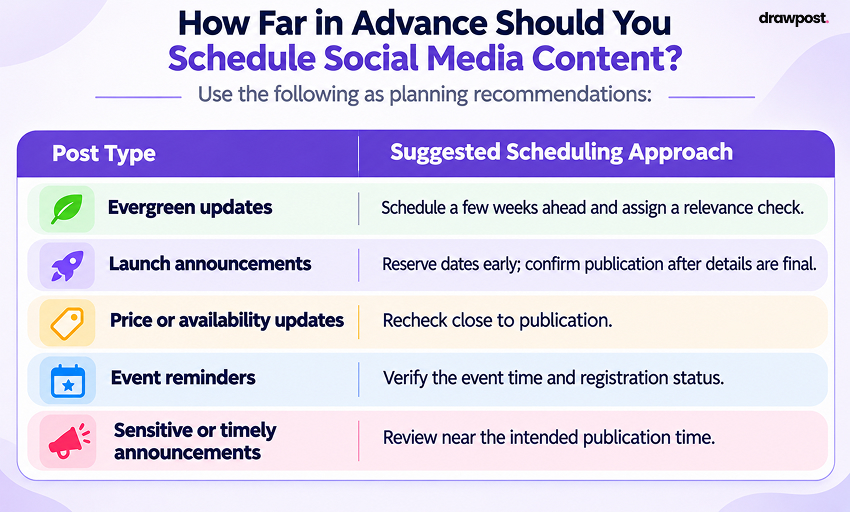
Schedule stable updates further ahead and keep changeable information closer to publication. You can reserve campaign dates early while waiting to confirm the final offer, link, or availability before committing the post.
Use the following as planning recommendations:
| Post Type | Suggested Scheduling Approach |
| Evergreen updates | Schedule a few weeks ahead and assign a relevance check |
| Launch announcements | Reserve dates early; confirm publication after details are final |
| Price or availability updates | Recheck close to publication |
| Event reminders | Verify the event time and registration status |
| Sensitive or timely announcements | Review near the intended publication time |
Leave room for unexpected business updates. A fully occupied calendar makes it harder to move a priority announcement without creating overlaps elsewhere.
That flexibility works best when the team also knows which changes need renewed approval.
7. Confirm Approval Before Adding Posts to the Live Queue
A social media post approval workflow should specify who authorizes publication, when approval is due, and what happens if that deadline is missed.
Keep unapproved posts outside the live publishing queue. When the cutoff passes, hold the post or select another appropriate slot. Agree on this fallback in advance so the publishing owner has a clear next action.
Reconfirm approval when a material detail changes, including an offer, claim, destination link, or publication date tied to a campaign. Record sign-off where the team can find it.
Confirm which software controls enforce the process. A documented review rule and a mandatory publishing restriction are separate things; use an external approval record where the chosen tool does not provide the control you need.
8. Check the Queue Before the Week Begins
Approval clears a post for scheduling, but the assembled queue still deserves a final review. Inspect the upcoming week for duplicated posts, overlapping updates, incorrect accounts, and expired offers.
Check linked destinations as well. A valid URL is not enough if it opens a registration page that has closed or a product that is unavailable.
For content batching for social media, group approved posts by client or campaign and queue them in a focused session. Then inspect the complete sequence. This reduces repeated scheduling work while preserving a final check of each destination and time.
9. Monitor Publication and Maintain a Pause Procedure
A post in the queue still needs a delivery outcome. Assign someone to check important publications and investigate errors after their intended time.
Before retrying a failed post, inspect the native account. If it is published but the confirmation fails, retrying could create a duplicate. If the relevant offer or deadline has passed, cancellation may be more appropriate than rescheduling.
Keep a procedure for pausing upcoming posts during outages, emergencies, or major changes. Include native schedulers and other active queues so the team knows where publication is still pending.
Social media automation makes delivery easier to organize. Retain an owner for comments, questions, and other responses that follow publication.
Review missed publications, approval delays, and scheduling corrections each month. Compare results across posting windows using the same measurement period, then adjust the schedule where recurring patterns justify a change.
How to Create a Social Media Posting Schedule for Multiple Platforms
Turn these practices into a repeatable weekly routine:
1. Confirm the week’s campaign dates and business deadlines.
2. Identify approved posts and their intended accounts.
3. Assign suitable publication slots using campaign requirements and audience data.
4. Check each post’s destination, timing, approval, link, and publishing method.
5. Review the complete calendar for conflicts across platforms.
This rhythm combines advance scheduling with enough oversight to keep the calendar relevant.
Read this blog: How to Manage Multiple Social Media Accounts
How Can Agencies Manage Social Media Scheduling for Multiple Clients?
The best social media scheduling strategy for managing multiple clients combines a shared process with clearly separated client schedules. Use consistent status labels and review checkpoints, while keeping each client’s accounts, deadlines, time zones, and approvers identifiable.
Effective social media management for agencies starts with a brief scheduling record for each client. Include active accounts, campaign dates, approval cutoffs, publishing responsibilities, and escalation contacts. Check that record when onboarding another account or handing coverage to a colleague.
DrawPost’s agency offering provides a centralized dashboard for managing client activity and publishing across connected channels. Evaluate that workflow against your roster: can the team identify the right client, review upcoming publication dates, and coordinate changes without losing track of another account?
Among the most useful social media scheduling tips for marketing agencies is tracking approval delays and scheduling corrections by client. Repeated problems often point to a process that needs clarification before the agency adds more accounts.
How to Schedule Social Media Posts in Bulk for Multiple Accounts
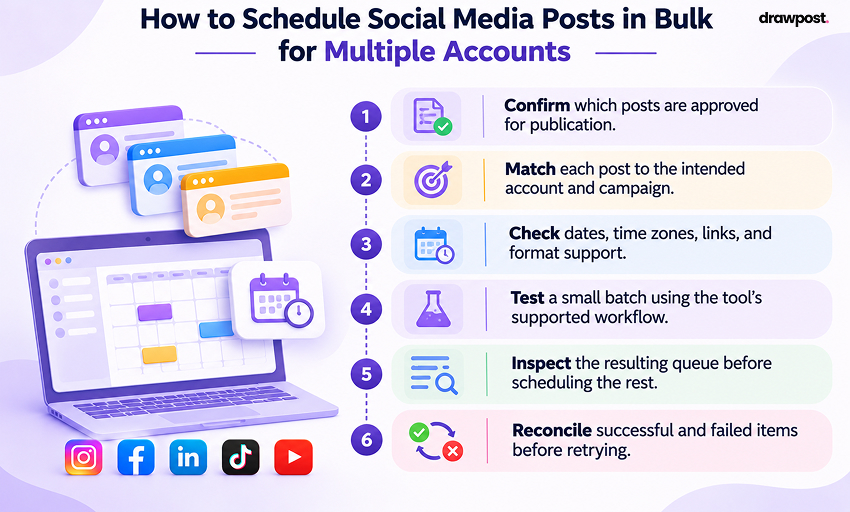
Start with approved posts grouped by client and intended destination. Validate account mappings, publication times, and links before committing the batch.
Use this sequence:
1. Confirm which posts are approved for publication.
2. Match each post to the intended account and campaign.
3. Check dates, time zones, links, and format support.
4. Test a small batch using the tool’s supported workflow.
5. Inspect the resulting queue before scheduling the rest.
6. Reconcile successful and failed items before retrying.
Confirm which bulk scheduling methods your tool supports. Do not assume it accepts spreadsheet imports or supports every format across all connected accounts.
What Should You Look for in Social Media Scheduling Tools?
Choose social media scheduling tools around your actual publishing workload. A solo brand account and an agency roster may need different levels of calendar visibility, account organization, and coordination.
Compare these requirements before buying:
| Requirement | What to verify |
| Account and platform coverage | Support for the exact destinations and formats you use |
| Calendar visibility | A clear view of upcoming publications and changes |
| Scheduling behavior | Time zone settings, rescheduling, and queue handling |
| Approval requirements | How your agreed review process will be supported |
| Publication monitoring | How your team detects and resolves failures |
| Reporting | Whether the available metrics support your review process |
| Plan fit | Account limits, required features, and total cost |
Test important requirements rather than assuming every feature is available in every plan. A useful buying decision starts with the work the team needs to manage reliably.
Bring Your Publishing Schedule Together With DrawPost
Give every approved post a clear place in your publishing calendar. DrawPost brings visual planning, cross-platform scheduling, and automated publishing together to help your team coordinate content across connected accounts.
For brands, managing your social media posting schedule in one place makes upcoming content easier to review and adjust. When a launch moves or a promotion changes, you can rearrange scheduled posts to reflect the updated plan.
For agencies, DrawPost’s centralized client dashboard helps keep publishing activity organized across multiple accounts. Your team gains a clearer view of upcoming client posts, making schedules easier to coordinate as workloads grow.
Use performance insights to review audience response and refine your social media scheduling strategy over time.
Your next campaign starts with a clear plan. Get started with DrawPost and bring that plan into one organized publishing workflow.
Frequently Asked Questions
Q. What Are the Best Practices for Social Media Scheduling?
The most useful social media scheduling best practices for brands include maintaining one current calendar, confirming approvals, testing publication windows, and checking delivery outcomes. Agencies should also keep client accounts, responsibilities, and approval deadlines clearly separated.
Q. Can Scheduled Posts Still Be Changed?
Check the editing and rescheduling options available for the account and publishing method. After a material change, confirm that the approved version and intended time are reflected in the actual queue.
Q. Should Every Platform Publish at the Same Time?
Coordinate campaign dates, but choose individual slots using each account’s audience evidence. Simultaneous publication is useful when the announcement requires it, provided the details and destinations are ready across accounts.
Q. Does Scheduling Guarantee Greater Reach?
No. Scheduling helps manage delivery, but it cannot guarantee distribution or audience interest. Assess timing alongside the relevance of the post and the action you want the reader to take.
Our Latest Insights

How to Manage Multiple Social Media Accounts: A Practical Guide for Businesses
Learn how to manage multiple social media accounts with smarter content planning, scheduling, automation, and analytics to save time and stay organized.

How to Generate 30 Days of Social Media Content in 30 Minutes With AI
Learn how to plan 30 days of social media content in 30 minutes with AI. Discover time-saving strategies, content calendars, and tools like DrawPost.

What Is an AI Social Media Manager? How It Works in 2026-2027
Learn what an AI social media manager is, how it works, its key features, benefits, and challenges, and how businesses use AI to manage social media.